
UX / UI / Visual Design
Providing pilots with an intuitive and compelling way of downloading charts.
General Aviation pilots rely on ForeFlight to download up-to-date FAA and international charts before every flight. These charts contain mission-critical information—airports, frequencies, procedures, airspace restrictions, and more—and are updated on a strict schedule. Pilots must manually download the correct regions to their devices (primarily iPads and iPhones) before filing flight plans and departing.
At the time, ForeFlight’s Downloads experience was primarily list-based and deeply nested, requiring users to navigate multiple levels to select regions. Research showed that pilots found the process repetitive, time-consuming, and unintuitive—especially compared to competitor apps that allowed chart selection directly from a map.
Task
I was asked to design a more intuitive and efficient way for pilots to download charts with the following objectives: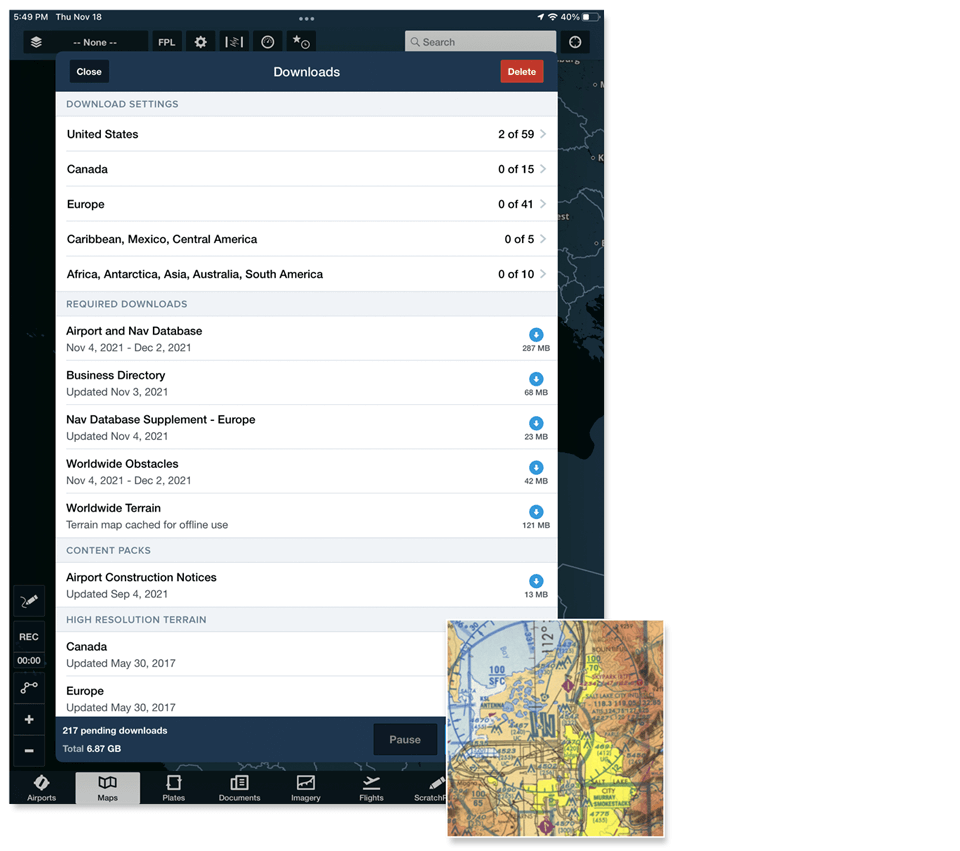
Action
Our team conducted user interviews and workflow analysis with active pilots (n = 6). Key insights included:
From this research, I defined the primary design challenge:
How might we provide an intuitive, visual, and efficient way to download required charts while preserving existing user familiarity?
Early Exploration & Iteration
I led a series of design explorations ranging from incremental improvements to more ambitious concepts. Several early ideas were intentionally discarded after critique and testing because they:
Through iterative prototyping and feedback sessions, I converged on a set of guiding principles:
These principles formed the basis for the first high-fidelity prototypes.
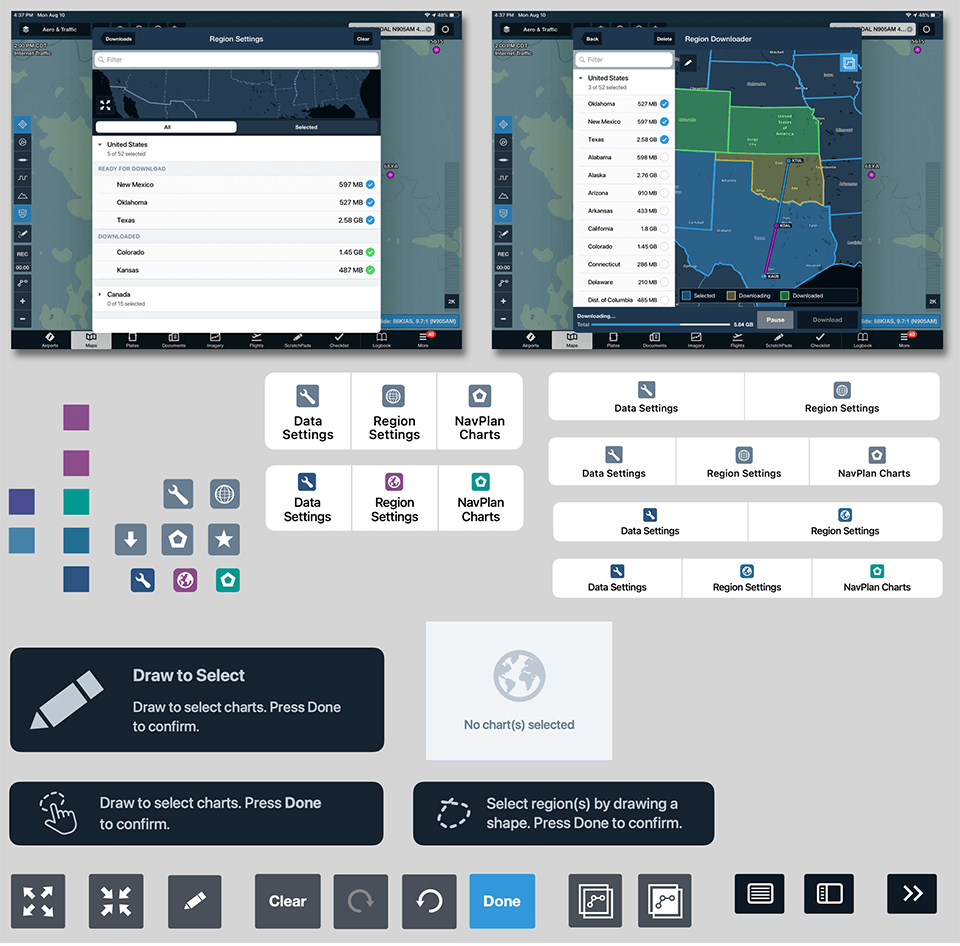
Designing for iPad First
Given that most pilots used iPads in the cockpit, I initially designed the experience around the larger screen:
- A side-by-side interface combining list and map
- Real-time correlation between map selections and region cells
- Multi-selection gestures optimized for touch
Usability testing of this version showed strong performance (80% task success rate) and validated the overall concept.
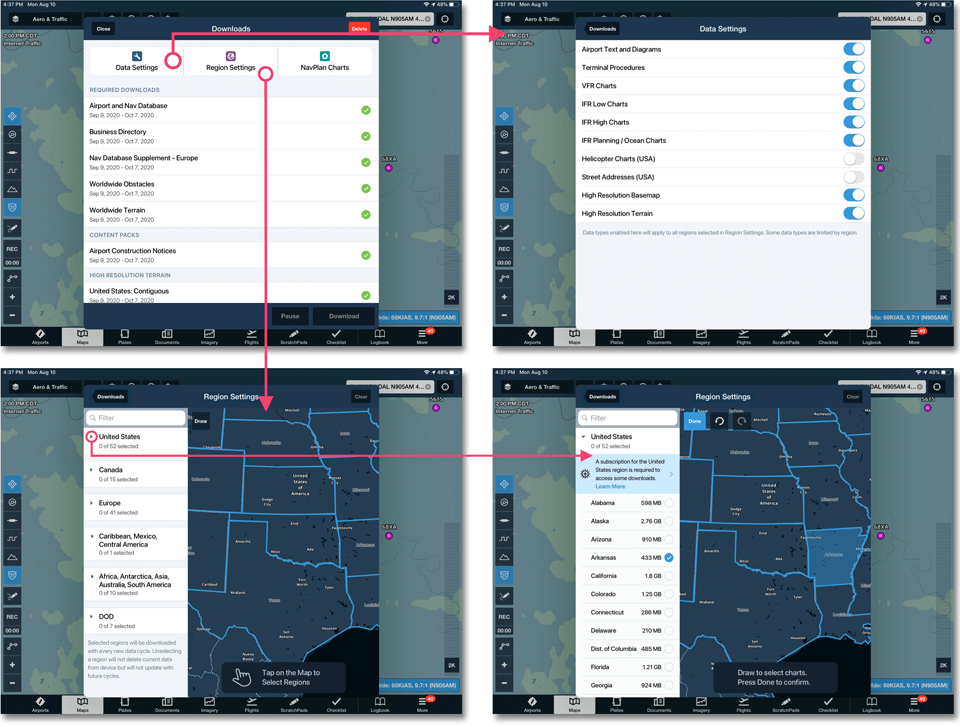
Reconsidering the iPhone Experience
Initially, the map experience was scoped only for iPad due to:
However, usability testing quickly challenged this assumption. We discovered that:
This insight led to a strategic pivot: the feature needed to be fully supported on iPhone as well.
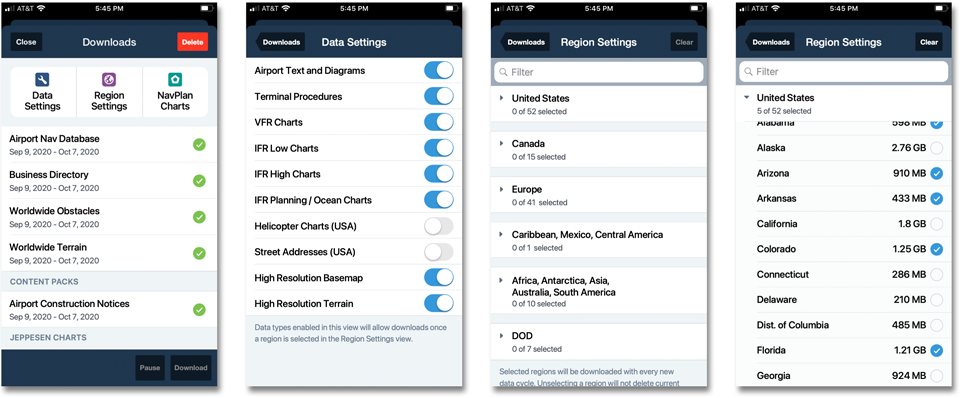
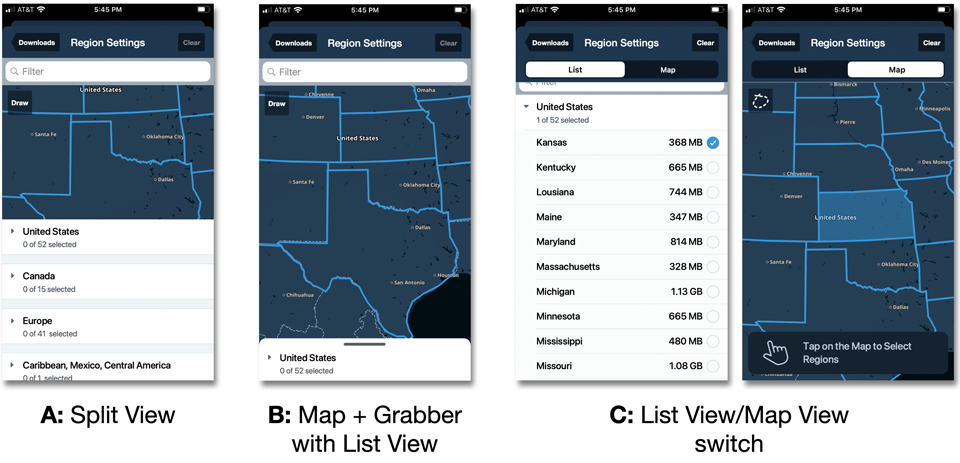
Three iPhone Concepts & Validation
I designed three distinct iPhone interaction models and conducted comparative usability testing focused on:
- Ease of discovery
- Learnability of “Tap to Select” and “Draw to Select”
- Understanding of the map/list correlation
- Clarity of next steps
The winning direction—the “Map Switch” concept—emerged as the strongest because it:Below are the 3 design concepts created and later tested
This concept also aligned well with existing patterns in ForeFlight, reducing implementation risk.
Prototyping & Collaboration
I created high-fidelity interactive prototypes to:
- Validate micro-interactions and transitions
- Demonstrate flows to stakeholders and engineering
- Support usability testing sessions
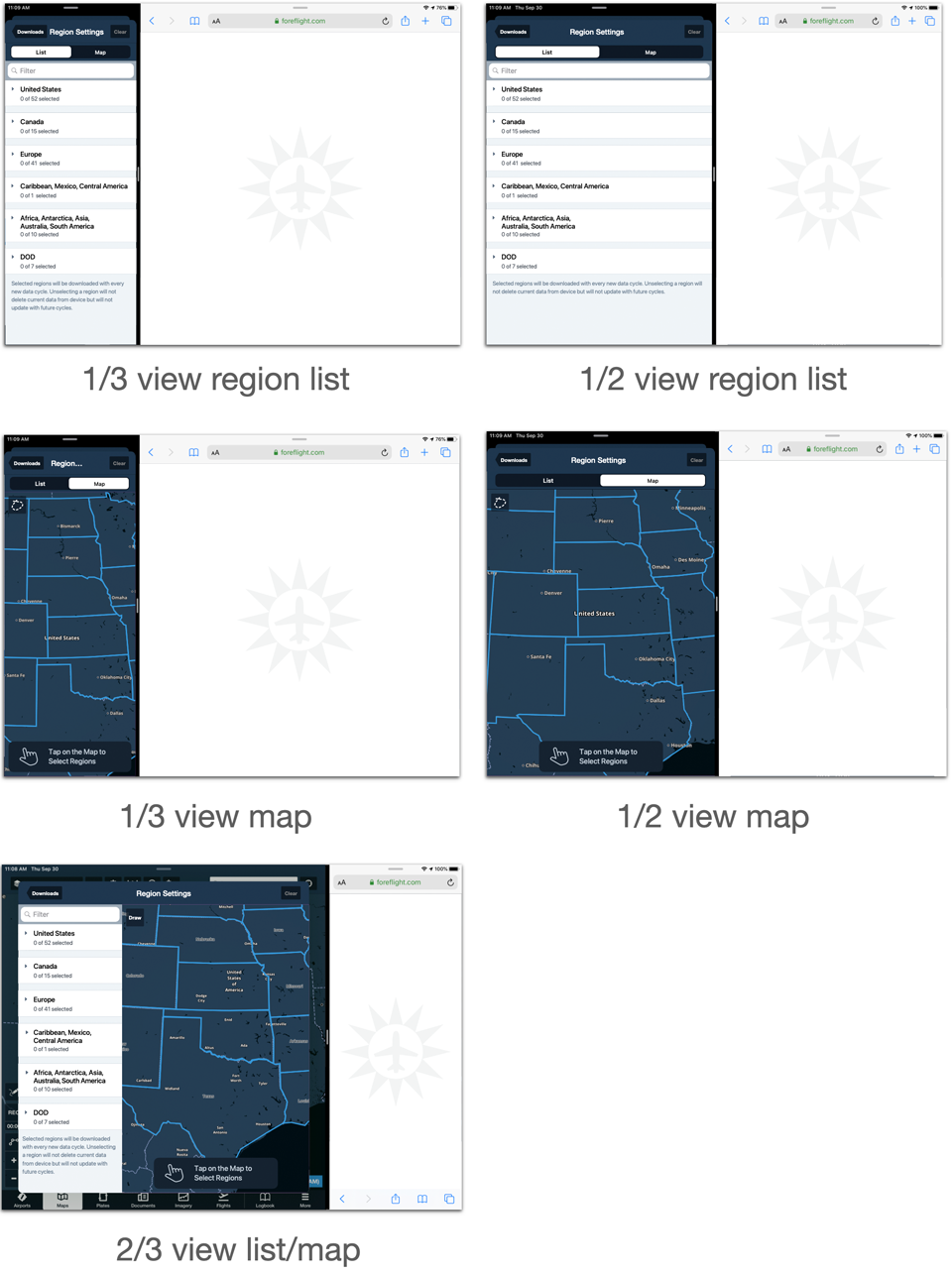
- Define edge cases such as split-screen multitasking
The chosen design was specifically optimized to support iPad split-screen mode, a critical Apple platform requirement and an important internal success criterion.
Result
The final Map-Based Chart Downloader delivered:
The solution became a foundational interaction model for future map-driven workflows in the app and strengthened ForeFlight’s competitive position against Garmin Pilot.